


Practical AI Use Cases in Consulting: How We’re Accelerating Real Client Work
Over the past several months, we’ve been deliberately testing practical AI use cases in consulting—not as a novelty, but as a hands‑on way to accelerate analysis, improve rigor, and capture institutional knowledge in real client work. What follows are concrete applications drawn directly from that experience. These are not theoretical examples; they are operational AI use cases in consulting that delivered measurable value.
Contents
Categorizing 3,000 Messy Records—Directly in Excel
The challenge:
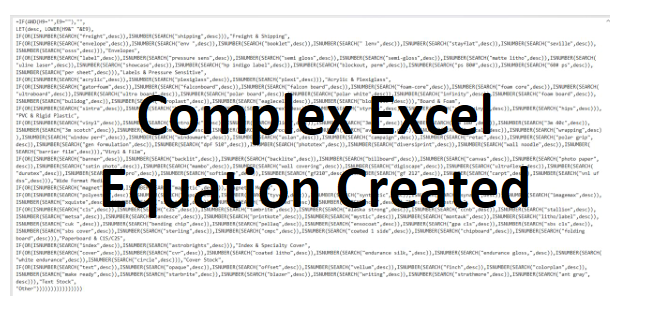
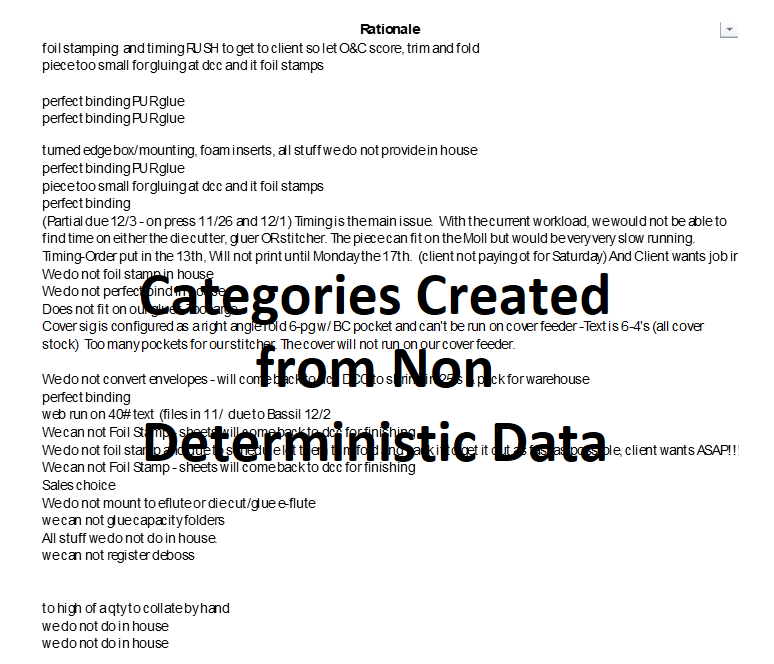
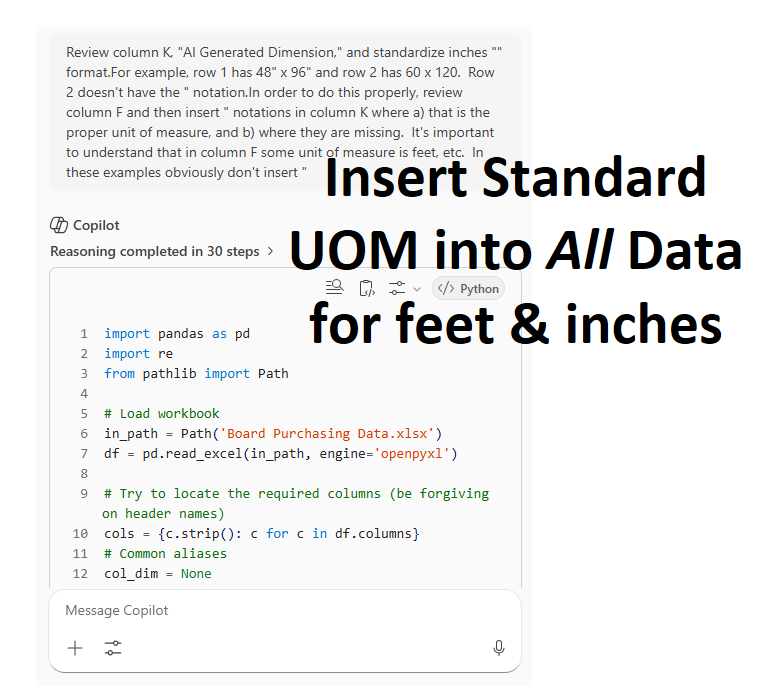
We needed to categorize roughly 3,000 records where descriptions were split across two different columns and formatted inconsistently. This is the type of data that resists traditional rule‑based logic and typically requires either manual effort or custom programming. These descriptions are coming directly from the client customers so there will always be inconsistencies in naming conventions.
What we did:
Rather than building rigid classification rules, we used AI to interpret context across both description fields and make nondeterministic categorization decisions. The most surprising outcome was that the AI returned its logic as a native Excel formula that could be inserted directly into the spreadsheet and applied at scale. The equation is shown at the bottom of the page and includes ~ 100 factors in this single equation.
Why it mattered:
This approach eliminated the need for custom code or external tools. Analysts could deploy the logic immediately within Excel, and the categorization proved far more resilient to edge cases than traditional if‑then rules.
Turning 84 Employee Interviews Into Board‑Ready Insights
The challenge:
A client wanted input from employees on how to improve their business. We conducted interviews with almost 90 different employees, typically 1 to 1.5 hours long, with two to four employees per session. The result was 27 hours of transcribed audio file which resulted in more than 300 pages of transcription—far too much qualitative data to synthesize manually without losing fidelity.
What we did:
AI transcription captured every participant’s input, which is nearly impossible to do accurately in multi‑speaker interviews through note‑taking alone. From there, AI synthesized the transcripts into 90 categorized improvement ideas, complete with frequency counts and supporting quotes. In an interview setting, one facilitator cannot possibly capture improvement ideas that are coming from 2, 3, or 4 employees in a group setting.
Why it mattered:
This converted unstructured conversation into structured, decision‑ready insight. Instead of anecdotes, leadership received prioritized themes supported by data and direct employee language—something that resonated strongly at the board level. Every employee felt represented, heard, considered, and the frequency of the common ideas gave weight because it represented the most tenured opinions in the business.
Extracting Technical Specifications From ERP Free‑Text
The challenge:
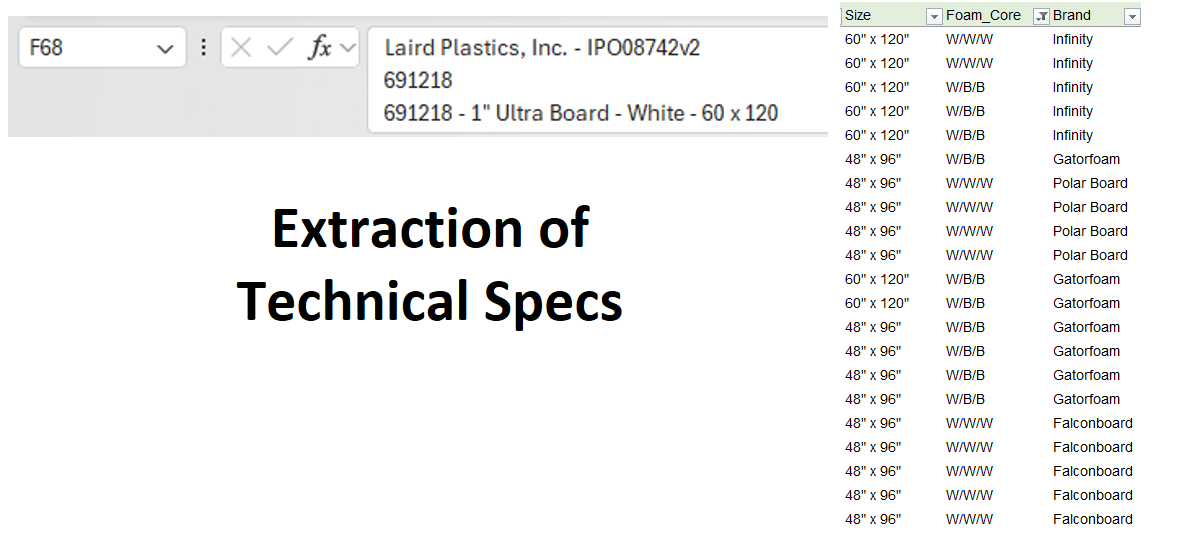
In our ERP system, material descriptions were embedded in single Excel cells, often containing seven to ten lines of technical specifications in inconsistent order. Different material types—such as films versus paper—used different attributes and terminology, making comparison and analysis extremely difficult.
What we did:
We first used AI to identify which technical specifications mattered for each material category. Then we used AI to extract those attributes—grade, caliper, finish, length, width, and others—into standardized columns. With structured data in place, we created standardized material names that were sufficient for analysis without relying on SKU‑level precision.
Why it mattered:
This unlocked meaningful analysis, including runner‑repeater‑stranger reviews, without specialized parsing code or ERP reconfiguration. Data that was previously unusable became clean, comparable, and analytically valuable.
Turning Tribal Knowledge Into Standard Work
The challenge:
Experienced engineers and managers solve problems through fast, informal conversations that rarely get documented. Critical details live in memory and are lost once the conversation ends. Think about your company and team for a minute. Would you agree that much of this “business-critical” information and know-how could be written down and captured more accurately?
What we did:
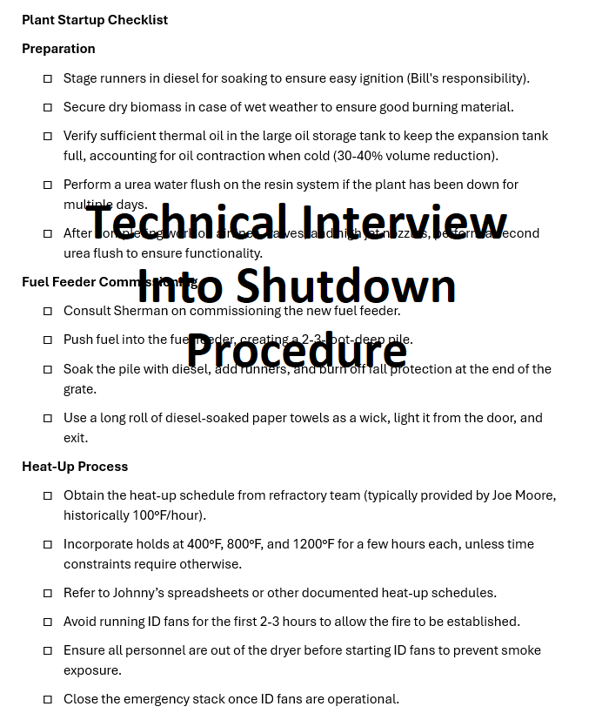
We transcribed live problem‑solving discussions and used AI to convert them into structured outputs such as diagnostic checklists and resolution steps. In one case, a 15–20 minute conversation with a plant manager about shutdown and startup procedures—covering temperatures, pressures, staging locations, and material preparation—was converted into a production‑ready checklist with minimal editing.
(Excursus: in practice in consulting, we are transcribing more and more (all?) production meetings, and specifically, any problem-solving discussions between two or more subject matter experts. The results are hard to dispute. Like the story above, these collections of transcriptions can be turned into pre and post planning checklists. One additional note and challenge. Imagine for a minute that you’ve recorded production meetings for (30) observations. When you can consolidate that information and begin to query it using AI prompts the outcomes are staggering. “What are the repeat offenders we continually face?” “Which specific circumstances show loss of information (information we need to know, or information we need to share)? “In which part of the process should we collect more information?” These questions – based on that dataset – can set your company a decade ahead of past management teams.)
Why it mattered:
This turned tacit expertise into repeatable standard work. Instead of relying on institutional memory, teams now had documented procedures that could be reused, trained, and improved. The draft checklist was created, and then reviewed with minor edits, and immediately put into practice with new crews.
AI as an Embedded Tutor for Everyday Knowledge Work
The challenge:
We needed to provide financial reports to a business team each week. The current workflow didn’t support that with the only source of information being a general ledger—with subtotals and breaks. While this report was available at any time via file export, the concentration of information was unusable. Due to the high transactions, it was almost impossible to retrieve simple actionabe information.
What we did:
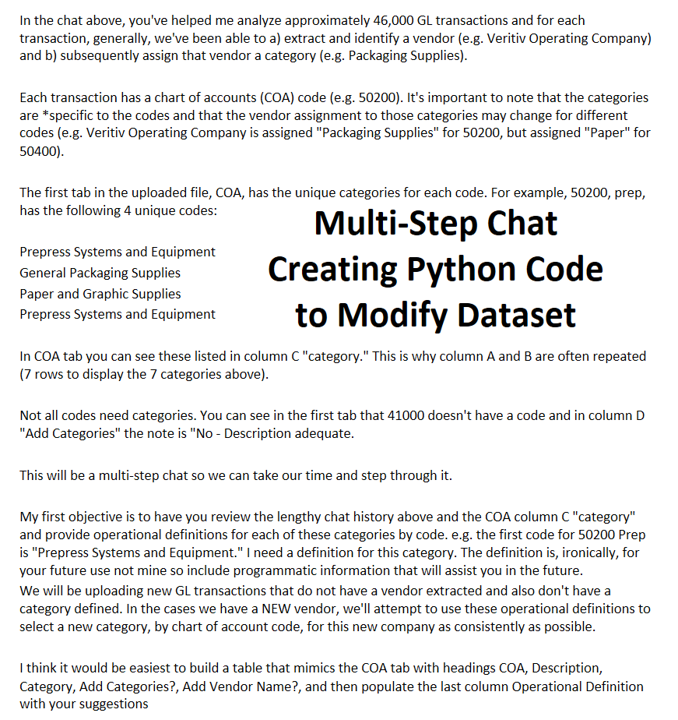
Using AI embedded directly in Excel, the user asked plain‑language questions: how to restructure the data, which formulas to use, and in some cases simply asked the AI to perform the transformation. This involved the use of defined names, Excel tables, regression statistics (correlation of expense to top line revenue patterns), and product family costing.
Why it mattered:
AI functioned as a personal tutor rather than a black‑box automation tool. It met the user where they were and enabled sophisticated financial analysis without advanced Excel skills. Each step of the way AI helped us simplify the data analysis taking thousands of transactions into less than (100) income statement accounts.
Structuring Free‑Form Management “Synopsis” Notes Into Actionable Records
The challenge:
Over the course of a year, a team member kept a running journal of decision “synopses”—unstructured paragraphs capturing opportunity background, conclusions, and decisions. Helpful in spirit, but the lack of structure made trend analysis, recall, and cross‑reference difficult. The purpose of the journal was to keep a history of the decisions made, and the rationale of why that conclusion was made by the team.
What we did:
We dropped the raw synopses into AI and asked it to infer and apply a schema: decision context, options considered, chosen action, rationale, owners, and follow‑ups. In minutes, narrative text became a structured table of entries we could sort, filter, and connect to outcomes. The kicker: this data analysis was not planned—a teammate tried it on a hunch, and it worked remarkably well. Incredible insights were gleaned from the AI report. Just to provide a little bit more construct: these journal records covered more than $ 1M of annual expenses to the business.
Why it mattered:
Institutional memory with structure: What used to be long paragraphs turned into query-able records for retrospectives, audits, and onboarding. The author kept writing naturally; AI handled the after‑the‑fact structuring, avoiding friction or new templates.
Reconstructing an Eight‑Month Email Thread Into a Clear Timeline
The challenge:
An important client conversation stretched across eight to nine months of email. We needed a concise timeline of deliverables, decisions, and delays—but navigating inbox search and fragmented threads is error‑prone. We would suspect that you’ve been there too.
What we did:
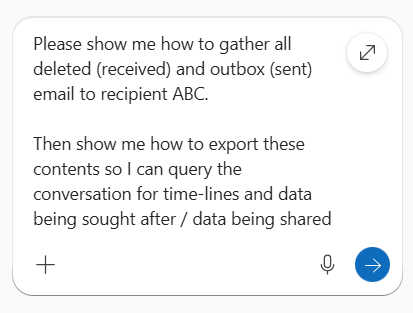
Using Outlook’s Advanced Find guided by AI, we pulled all relevant messages into a single view, then exported ~60 emails (headers, timestamps, full content). We expect that AI within Microsoft Outlook will change in the short term future, but at present we had to write a short Python script to concatenated them into one text corpus. From there, AI produced a date‑stamped timeline of milestones, commitments, and blockers—making the entire exchange auditable at a glance.
(Excursus: tgg has been analyzing email records for over 15 years within the business context and it’s never been easier than the tools available within AI. We hope that the reader doesn’t leave this post thinking that this is only for nefarious types of uses; it’s extremely practical. Lawyers, engineers, plant managers, production managers are all bombarded with email. With this type of analysis our goal is to reduce their time in email by 50% (or more), by simply identifying what information is being passed via email. Once we can identify specific fields of information, we seek any/all database solutions to provide that information real time and external to email. Email = your precious time. So …. analyze it, reduce it!)
Why it mattered:
Defined universe = better accuracy: By constraining input to the exact set of exported messages, AI’s summary aligned tightly to verifiable source data. Faster dispute‑proofing: When questions arose about slippage or scope, we could point to a neutral, time‑ordered record derived from the emails themselves. The time-line included exact “quotes” included in the conversation string, date stamps of decisions, etc.
Summary: What These Examples Have in Common
Across these examples, the pattern is clear: practical AI use cases in consulting are delivering speed, structure, and insight—but only when paired with disciplined verification.
- Speed does not eliminate the need for verification.
AI dramatically accelerates analysis, but validation often takes longer than traditional methods because outputs are richer and more complex. In practice, rapid insights still require disciplined checks—record counts, scope confirmation, and basic reconciliation—before decisions are made. - The hardest errors are subtle.
Obvious hallucinations are easy to spot; the real risk lies in reasonable‑sounding conclusions built on incomplete or poorly bounded data. Constraining the universe—whether records, emails, or interviews—is essential to maintaining analytical integrity. - Capture first, structure later.
The highest returns come from recording raw knowledge as it naturally occurs—conversations, notes, journals, emails—then using AI to impose structure after the fact. This avoids forcing people into rigid templates while still producing usable, repeatable outputs. - AI works best where people already work.
Adoption accelerates when AI is embedded in everyday tools like Excel, Outlook, and transcription workflows. Capability grows fastest when people apply AI directly to their own work, not in isolated experiments.
Example Images
Related: Looking for a Consultant Partner?
